Why don’t I just give you $1,800? Adobe Creative Suite for One Third the Regular Price*
cs6

Students and Teachers Get a Break

I have had conversations with several college students lately who told me they have an interest in the graphic arts. Some were business-focused but had an artsy side. Others aspired to be professional graphic designers one day. One young lady wanted to eventually teach sculpture. In addition to sharing an interest in the arts, these students also have another thing in common:  Adobe is willing to give them 66% (or more) off the commercial purchase price of the industry-standard Creative Suite software simply because they are students.*

In what other profession or trade is the same deal available? Let’s put this into perspective. Folks learning to be plumbers don’t get a 66% discount on tools at Lowe’s when they flash their technical school ID. Someone in police academy can’t buy firearms or other tactical gear at 1/3 the market rate just because they are in training. A music major doesn’t have the opportunity to buy a $3,000 guitar for $1,000 just for showing they are enrolled in the music program at their local university.

* < asterisk

This kind of deal is just too good to be true…and yet it is. If you noticed the asterisk in the title and are looking for the catch, this is it. You must meet Adobe’s eligibility requirements for academic pricing. Read through their guidelines, but the short version is this: if you are a student in K-12 or college (even homeschool), if you are a teacher of K-12 or college, or if you are a homeschool parent, you probably qualify. I would like to link an article explaining why it is good for Adobe to do this, but a quick search yielded nothing significant. The only reason I can imagine that Adobe allows this is that people who qualify for academic pricing may eventually NOT quality when they want to upgrade in the future. They are buying future loyalty with that hefty discount.

Do It Now

So all you design-inclined teachers, high school students, college students, and even homeschool students, do whatever it takes to scrape together the cash and secure your license for the Adobe Creative Suite application(s) you might need — even the Master Collection is available! Ask your parents for some financial help. Ask your boss if you can pick up some extra hours this semester. Enlist the help of friends with a Kickstarter or Indiegogo campaign. Make the decision to secure this incredible advantage and equip yourself for freelancing, volunteering, or independent creative work. Hey, if nothing else, your term papers and presentations hot-rodded with InDesign, Photoshop, and Illustrator will be head and shoulders better than what your classmates turn in with the typical office software!
Turn “Tire Kickers” into Customers – Tune Your Landing Pages

One of the interesting paradoxes about what I do is that after I spend my professional expertise developing creative and engaging content for clients’ ads or marketing collateral, I have little or no time remaining to do the same thing for my own business. Such is life, right? The cobbler’s children have no shoes.

I may have a hard time doing a few critical things for my own marketing efforts, but it doesn’t mean I don’t know what to do. (Yes, that even sounds like a cop out to me as I type it…)

Here is a link to a great infographic from our friends at HubSpot via their Unbounce landing page testing utility. Read it with me, and make improvements to your own landing pages when you have the time. I know I will!

http://blog.hubspot.com/blog/tabid/6307/bid/33453/10-Stops-to-Take-on-the-Road-to-Lead-Generating-Landing-Pages-INFOGRAPHIC.aspx

And if you want to contribute to my overgrown workload and further prevent me from having time to actually implement these principles myself, call me at (864) 554-5061 or Contact Me to discuss your project. I know I need to do a better job marketing my services, but I’ll be glad to be the “cobbler” with barefoot kids so you can have a better marketing function.

Illustrator Template: Desktop Wallpaper for Typical Monitor Sizes

multiple-monitor-desktop-wallpaper-image

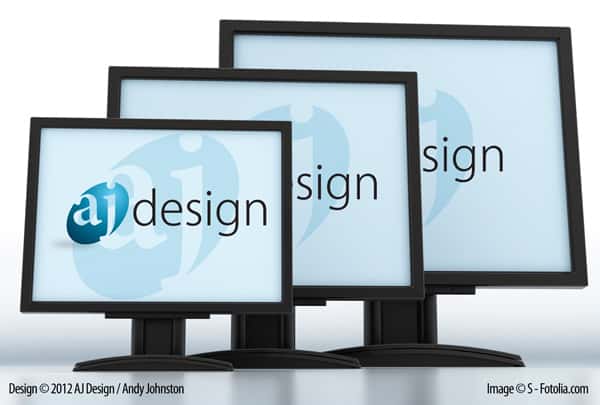
Have you ever needed to design desktop wallpaper that was consistent across several sizes? Here is an Illustrator file that will allow you to create desktop wallpapers for the following resolutions:

Artboard 1 – 1024 x 768
Artboard 2 – 1280 x 720
Artboard 3 – 1280 x 960
Artboard 4 – 1366 x 768
Artboard 5 – 1600 x 900

To use this template, align your art to the center of Artboard 1. Make sure it fits within 1024 x 768 and has sufficient margin. Create or place a background that is as larger than each of the artboards. When the design is finished, select the artboard with the size you want and then go to File > Save for Web & Devices. Select your format and your export options. Click Save and choose a filename. Repeat for the other sizes you need.

Terms of Use:

This template is royalty free, and can be used in any of your projects, both personal and commercial with no attribution required. Please do not host this template elsewhere or redistribute it in itsoriginal format. If you found this helpful and would like to share it with others, please direct them back to this page.

Branding as a Security Mechanism for Your Customers

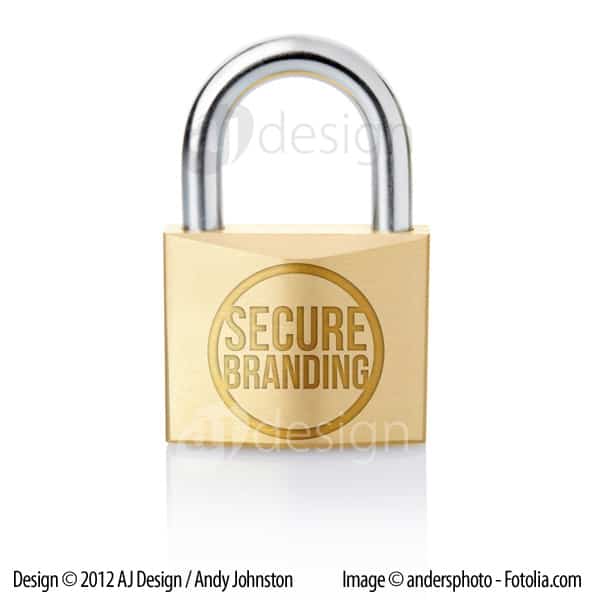
padlock-secure-brandingA GwdToday.com article outlined a recent rash of “smishing” threats in which people reported receiving fraudulent text messages indicating they had won gift cards from Best Buy or WalMart. The article cites Best Buy’s website as the source of this quote:

“Don’t respond to e-mails, text messages or online ads offering free gift cards. Make sure the website address and branding match up with the company referenced in the offer.”

How about your business and your brand? Would you be able to tell customers to steer clear of messages that don’t carry your brand? Could the average consumer tell the difference between official communications from your business and a cheap knockoff?

Branding – and all of the sub elements of branding like logo design, advertising, etc. – is a strong tool for the sales function of any business. That is understood without much explanation. But Best Buy’s tip on their website hints that branding is a tool for security. In an age where identity theft is becoming increasingly commonplace, it is no longer optional for businesses to have strong security practices. The next time you are considering your security vulnerabilities, consider these best practices of branding as tools to enhance your customers’ confidence in your business.

Consistency and Precision

There is a difference between ACME Widgets, Inc., Acme Widgets, Inc., and Acme widgets. People who resort to phishing (or “smishing”) tactics usually don’t attend to the details like capitalization or punctuation. Many logo designers prepare graphical  standards to ensure the logo is properly reproduced in a variety of contexts. In addition to visual standards, your branding standards should also encompass text-based presentations of your company name and other identifiers like  your web address, product names, and slogans. Make sure your name is presented the same way every time. This uniformity helps differentiate the genuine from the false.

Uniqueness

Anyone can buy a piece of clip art, drop that in Microsoft Word, and add text under it. Some graphic designers with professional quality software tools even resort to cookie-cutter art. But when you take the time to craft a unique logo to support your brand, you are telling the world, “I am here, and there is no one else quite like me.” You are also making it harder for would-be thieves to mimic your brand and take advantage of your customers.

Clarity

Brand clarity is closely related to consistency and precision. Is it easy or hard to discern your message? What is the purpose of a particular email or document? The more obvious the answer to those questions, the better. Make sure communications stay on point. Use clear subject lines for service-related emails. Don’t make a customer guess at the message you intend to convey.

It’s your turn now. What are your thoughts? Have you seen any great examples where branding has strengthened security or prevented fraud? What about really poor examples? Comment and post links below. Feel free to change names to protect the guilty if you must!

A Glimpse of the Abbeville Spring Festival

Ride Night at the Abbeville Spring Festival © 2012 Andy JohnstonWe were at the Abbeville Spring Festival this evening. I had my Fuji S-9100 on hand and decided to try and capture some of the fun. I have been sort of chained to my desk for the majority of this week working on a couple of urgent projects for clients. This image is a good reminder to me that it is worth it to unplug from the work.

FYI, this image is unedited. It was sort of a “lucky shot” in low light without a tripod.

Enjoy!

Andy Johnston

Mobile Marketing: Something Worth Doing Well

Today Hubspot offered a great post about mobile marketing. I have to admit that I’m not a mobile-crazy, app-developing, mobile expert (except that I’m a fairly adroit user of an Android OS phone). But I am aware of how mobile consumption of the web is trending, and I’m aware of how that trend is shaping design and the entire marketing function. For those of you who are jumping into the mobile world to promote your business, Hubspot’s infographic presents 17 factors you should consider before, during, and after your efforts.

In the wild world of business, sometimes you just have to shoot a few times then start aiming. This is especially true for start-up companies. But I highly recommend you at least consider these 17 suggestions and ask yourself, “Do we have a plan for that?” If you do, great. If not, make sure your business goal justifies the risk of ignoring these sensible and helpful principles.

The 17 R's of Savvy Mobile Marketing [INFOGRAPHIC]

Note about my relationship with Hubspot: I am not employed, in contract, or in any other way compensated by Hubspot. But I was certified as a Hubspot Inbound Marketing Specialist when I worked for Lee Resources International, Inc.